
How do I link Hard Rock Neverland Casino on the web to my mobile account?
You can easily link your accounts using a one-time link code:
- Launch Hard Rock Neverland Casino in your web browser
- Click Play Now or Log In / Register in the upper right corner of the screen.
- Click on Get A Code
- A unique link code will be displayed on the website.
- Open Hard Rock Neverland Casino on your mobile device.
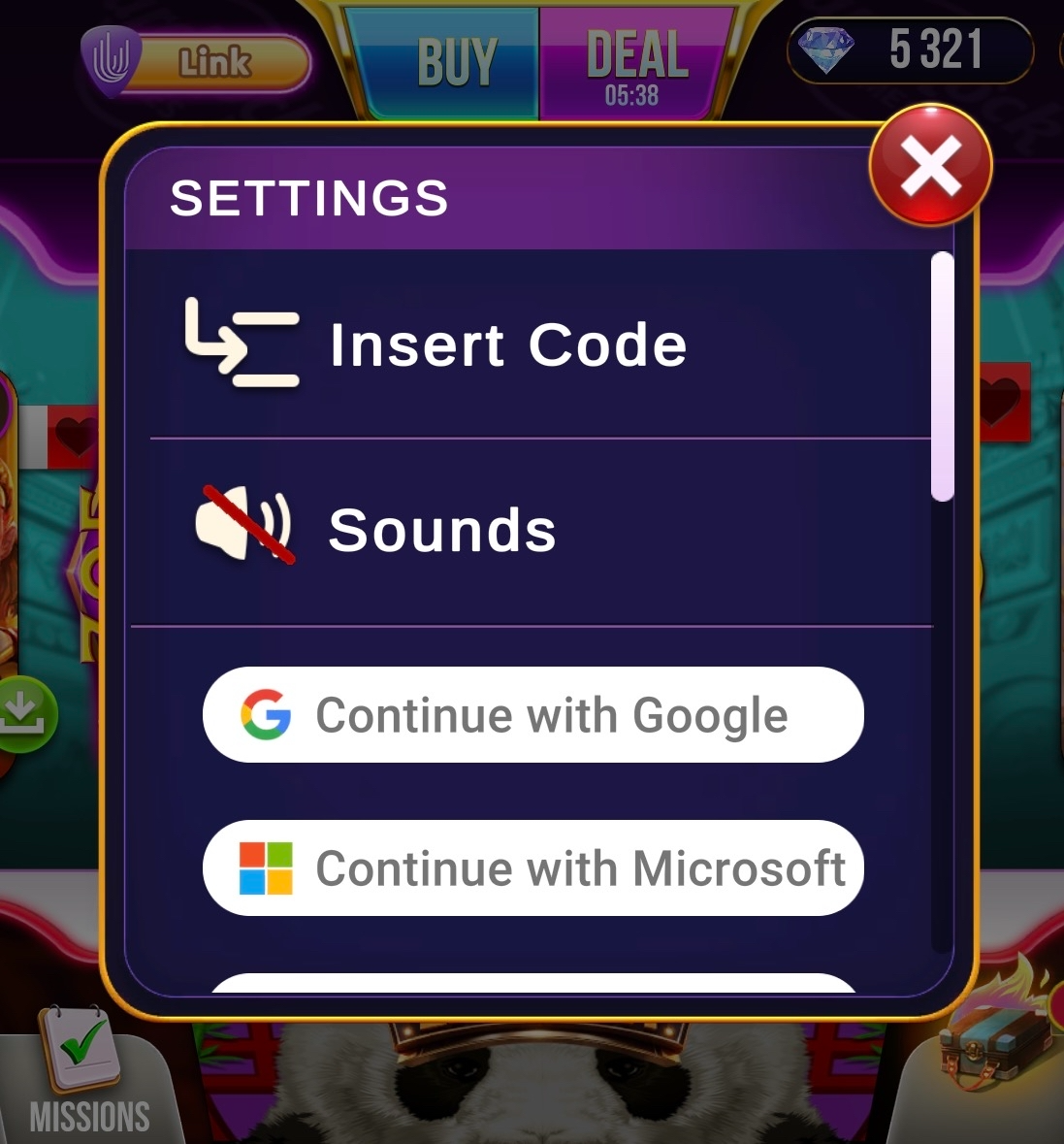
- Navigate to Settings and select Insert Code.
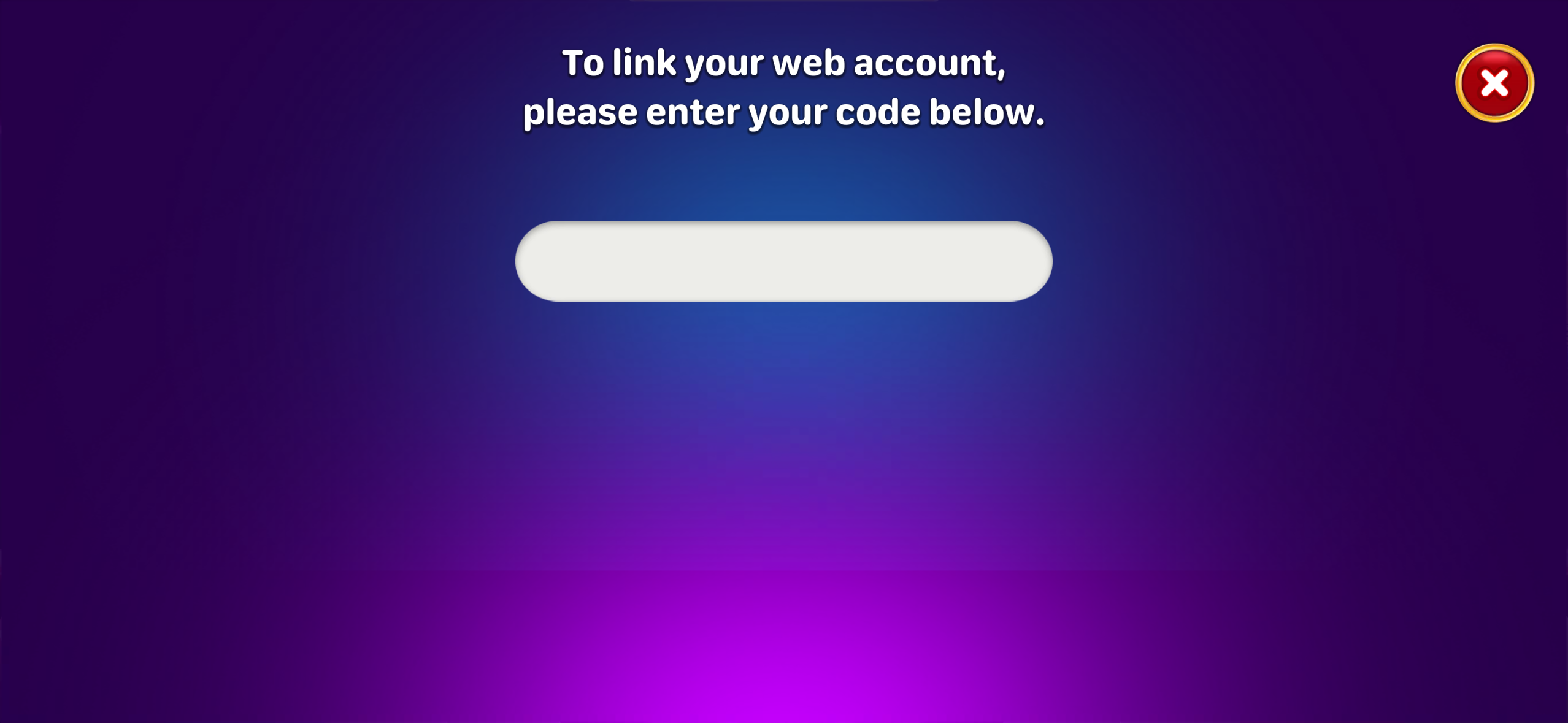
- Enter the link code displayed in your browser.
- Confirm the linking request.
Once the code is verified, your web session will automatically connect to your mobile account, allowing you to access your progress, rewards, and game data.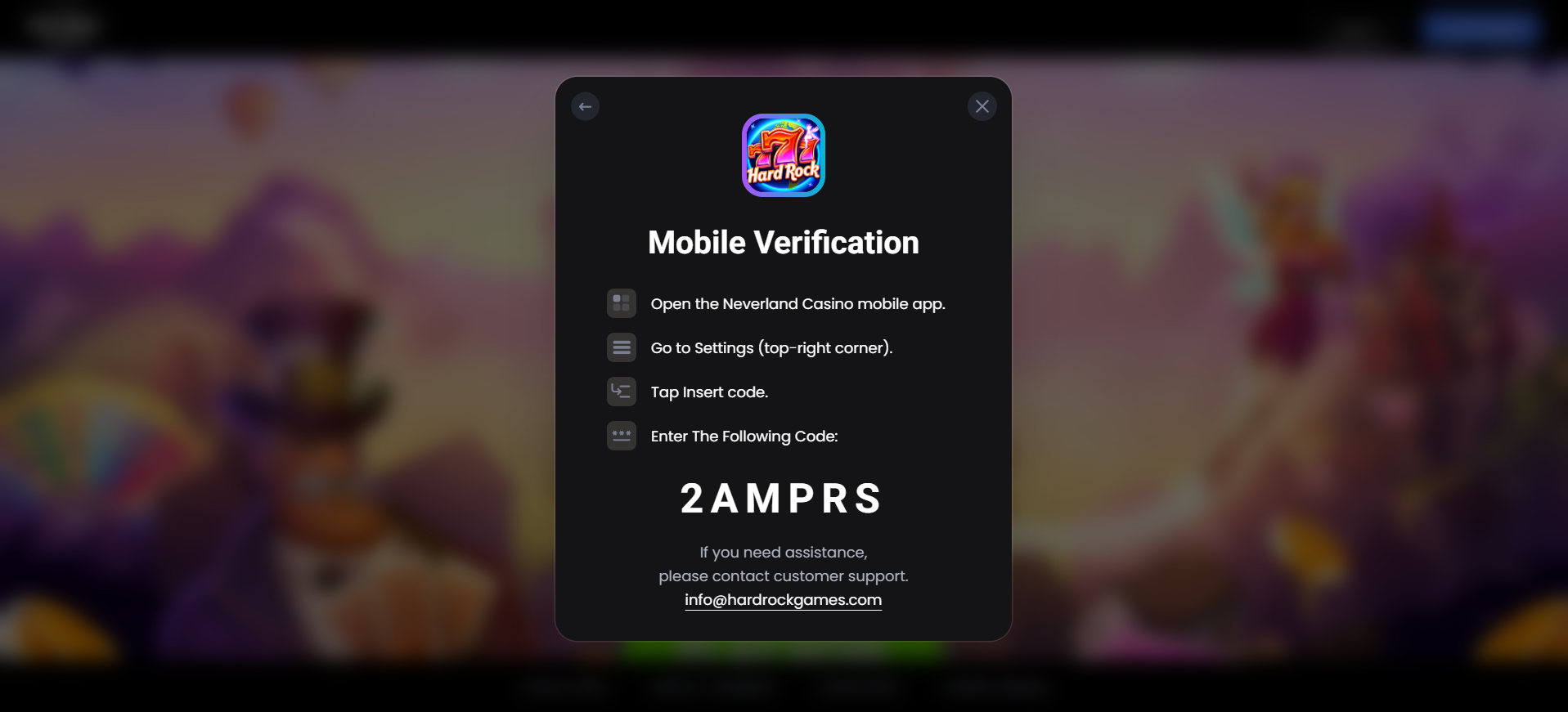
Do I need a separate account for the web version?
No. Linking your existing mobile account allows you to use the same account on both mobile and web.
What if my link code doesn't work?
Make sure:
- The code was entered exactly as displayed.
- The code has not expired.
- You are signed into the correct mobile account.
- Both your mobile device and browser have an active internet connection.
If necessary, generate a new link code from the web login screen and try again.
Will my progress and rewards carry over?
Yes. After linking, all eligible account data including game progress, balances, rewards, and achievements will be available on both platforms.
How long is the link code valid?
Link codes are temporary and expire after a short period for security purposes. If your code expires before you enter it, simply generate a new one from the web login screen.